
Activity Feed + How to Subscribe to Items
Subscribing to Items
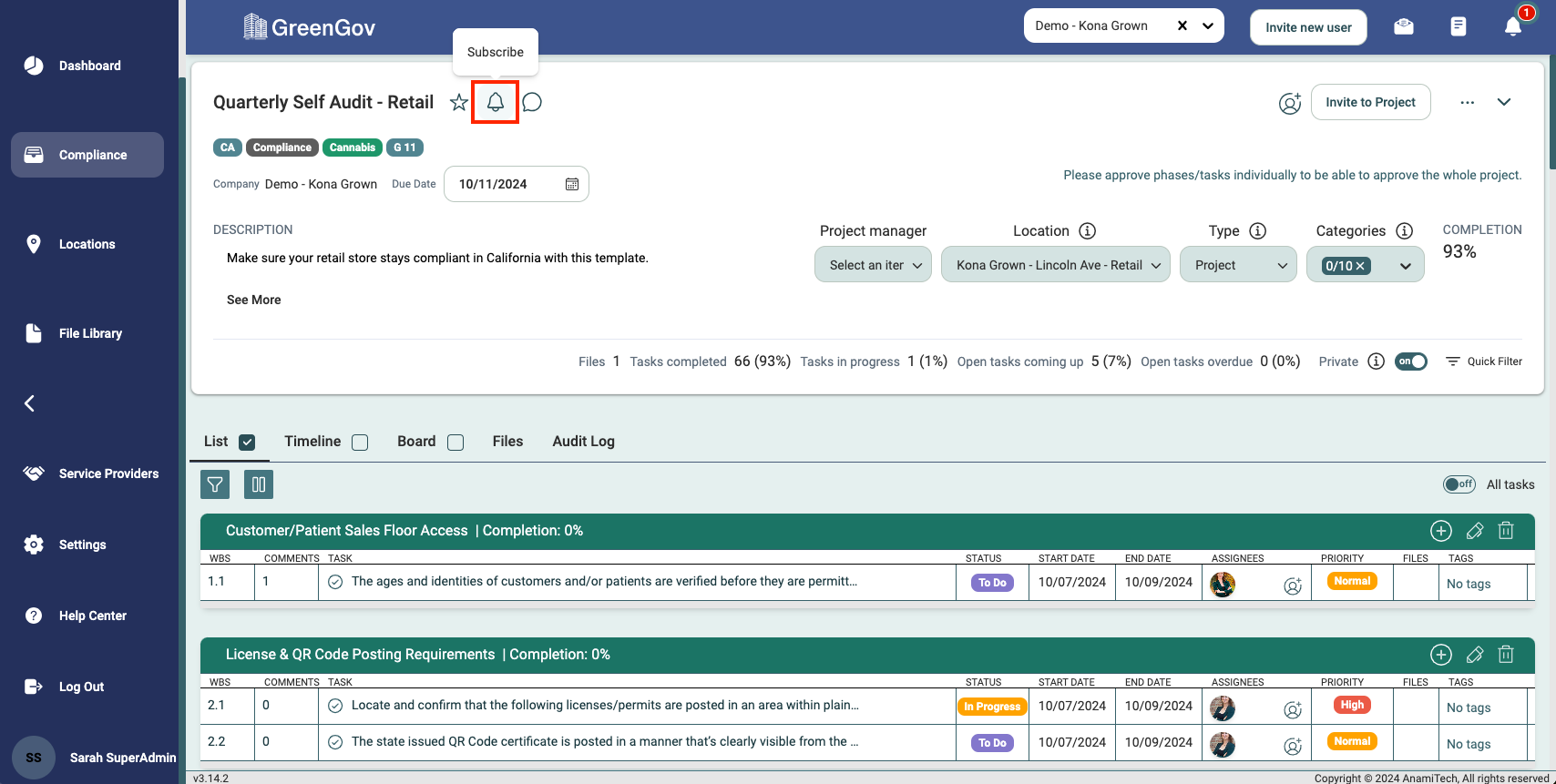
Navigate to the desired location, assignment/inspection, phase, task, or file and click the Subscribe bell icon associated with that item. Subscribing ensures you receive notifications through email notifications and the Activity Feed, depending on your settings.
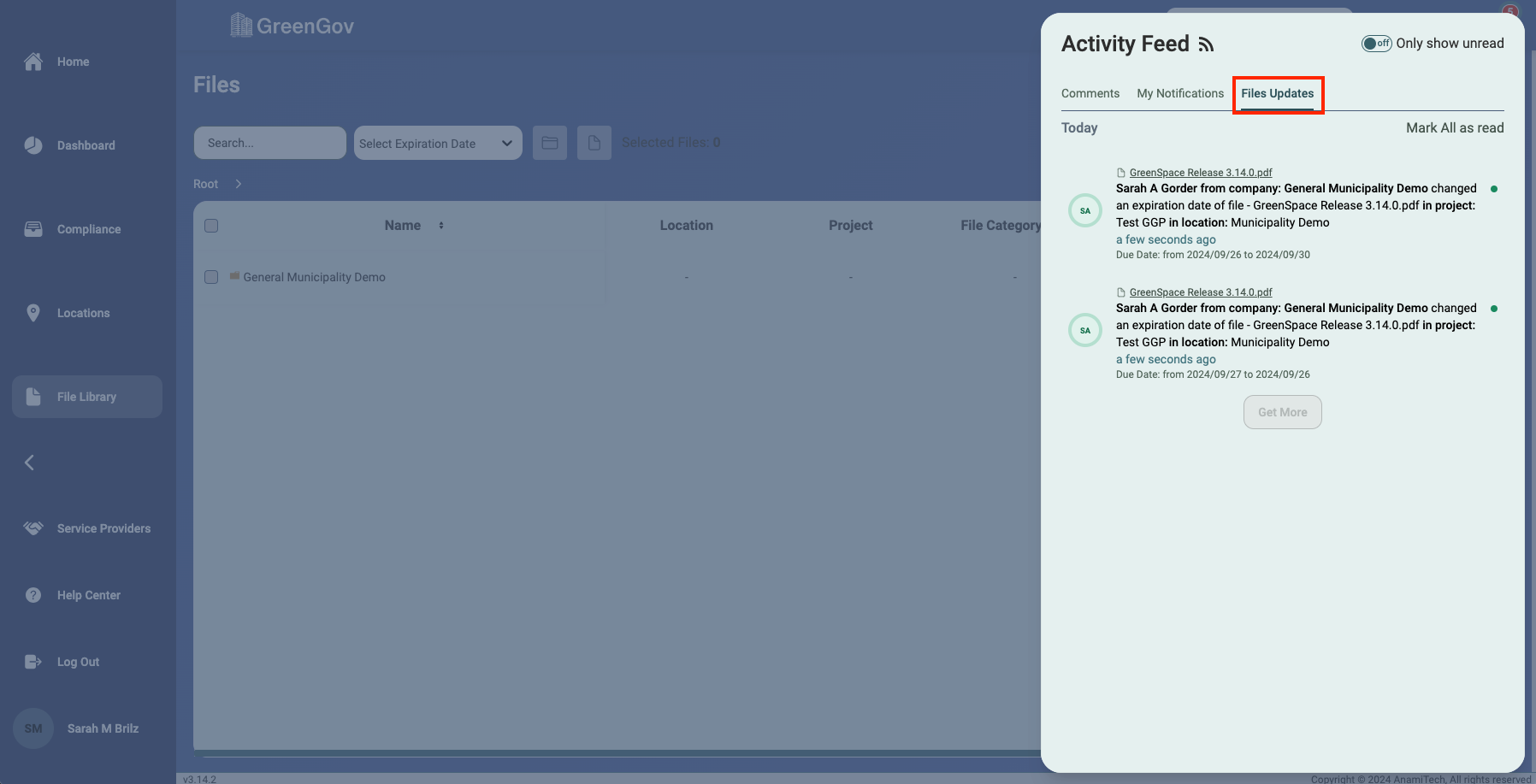
Activity Feed
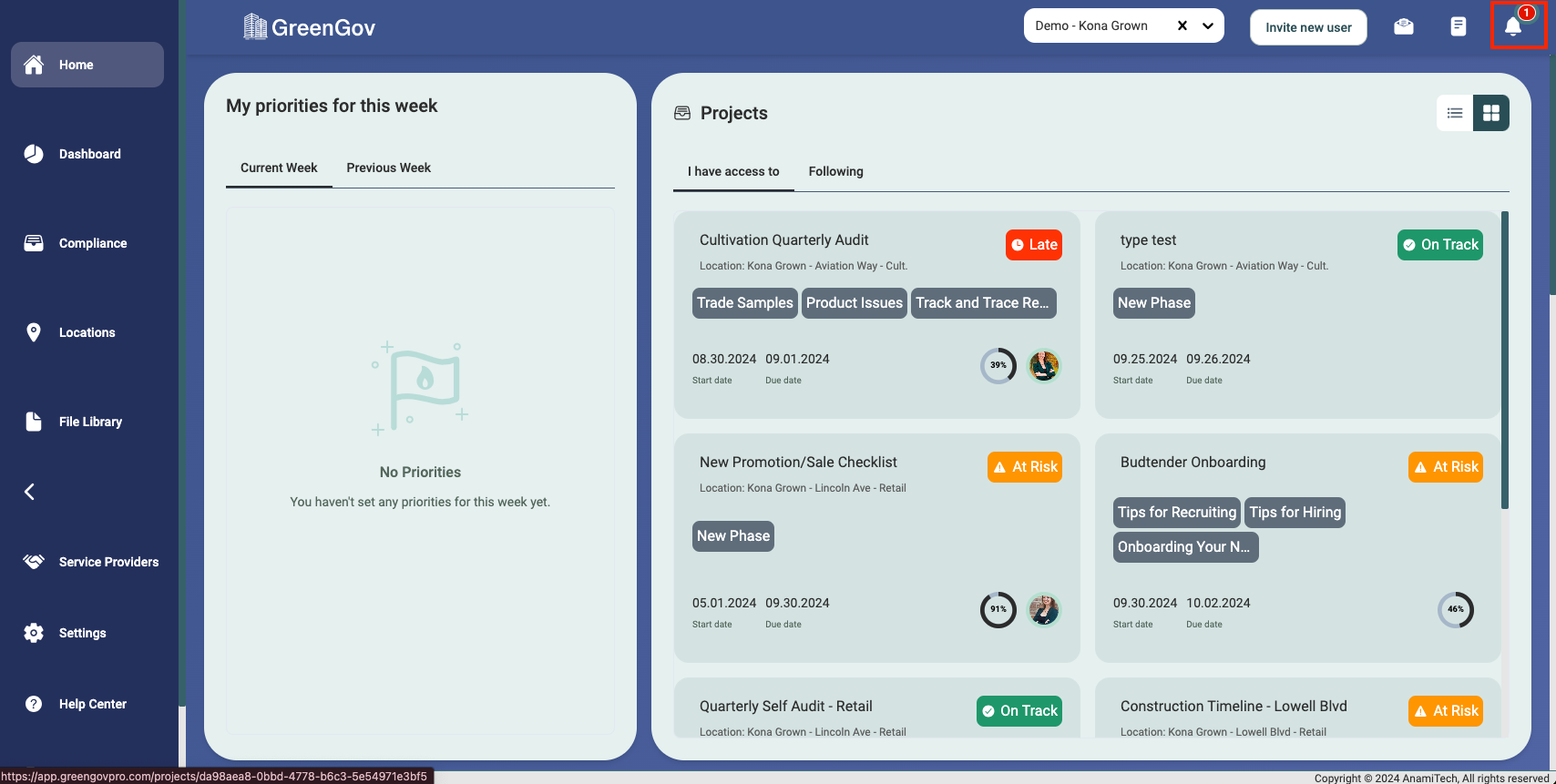
Click the Activity Fee bell icon located in the upper right-hand corner of your screen.
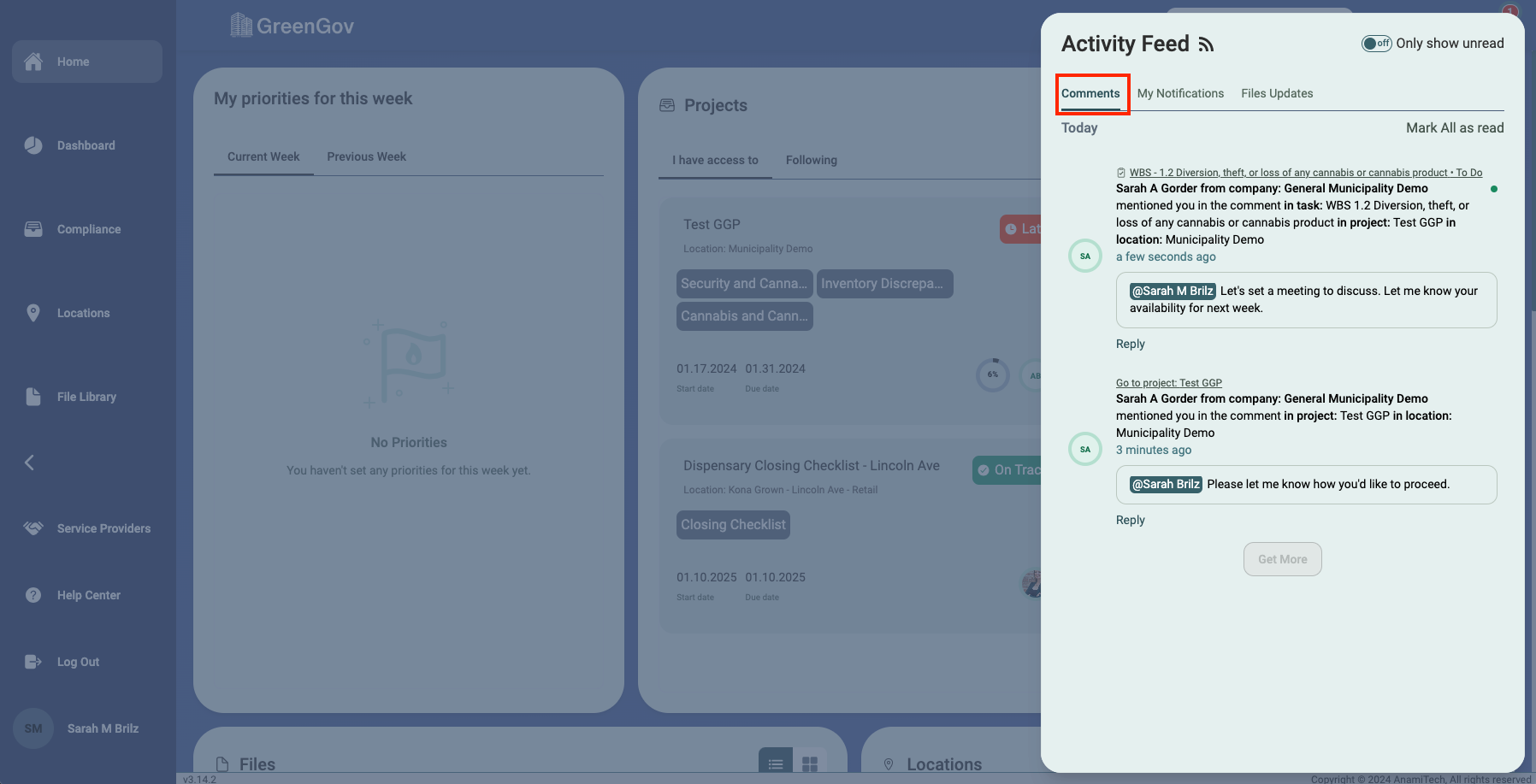
Comments
Reserved for comments where you are specifically mentioned.
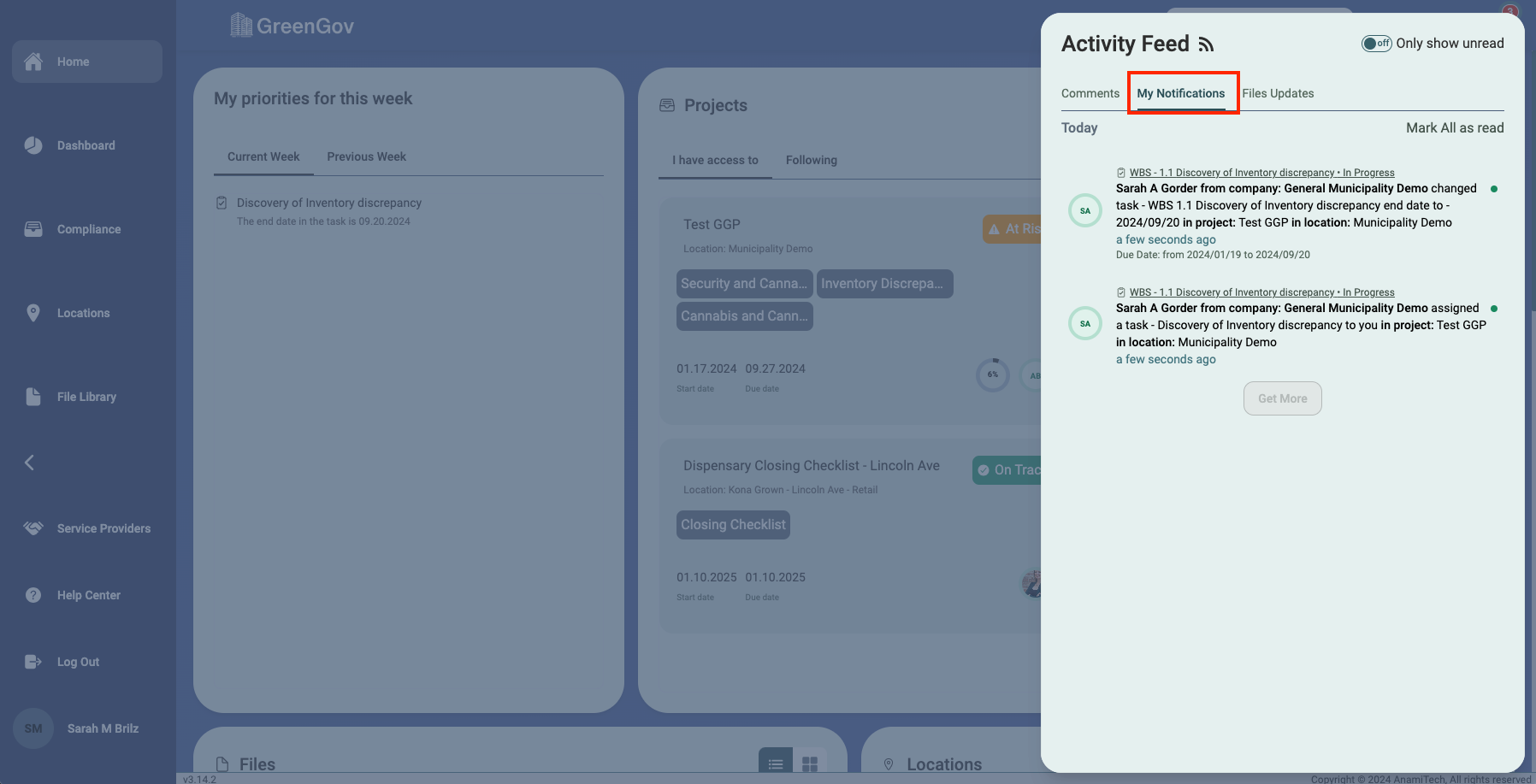
My Notifications
Displays notifications for the items you have subscribed to.
File Updates
Displays notifications for the files you are subscribed to.
By following these steps, you can leverage GreenGov's notification system to stay on top of specific items crucial to your workflow. Whether it's project updates, comments, or file changes, our comprehensive notification features ensure you never miss a beat.
If you encounter any challenges or have further inquiries, feel free to reach out to our support team. We are here to help you make the most of GreenGov for seamless and efficient collaboration. Happy notifying!